
Yocan Ziva Pro
Sale!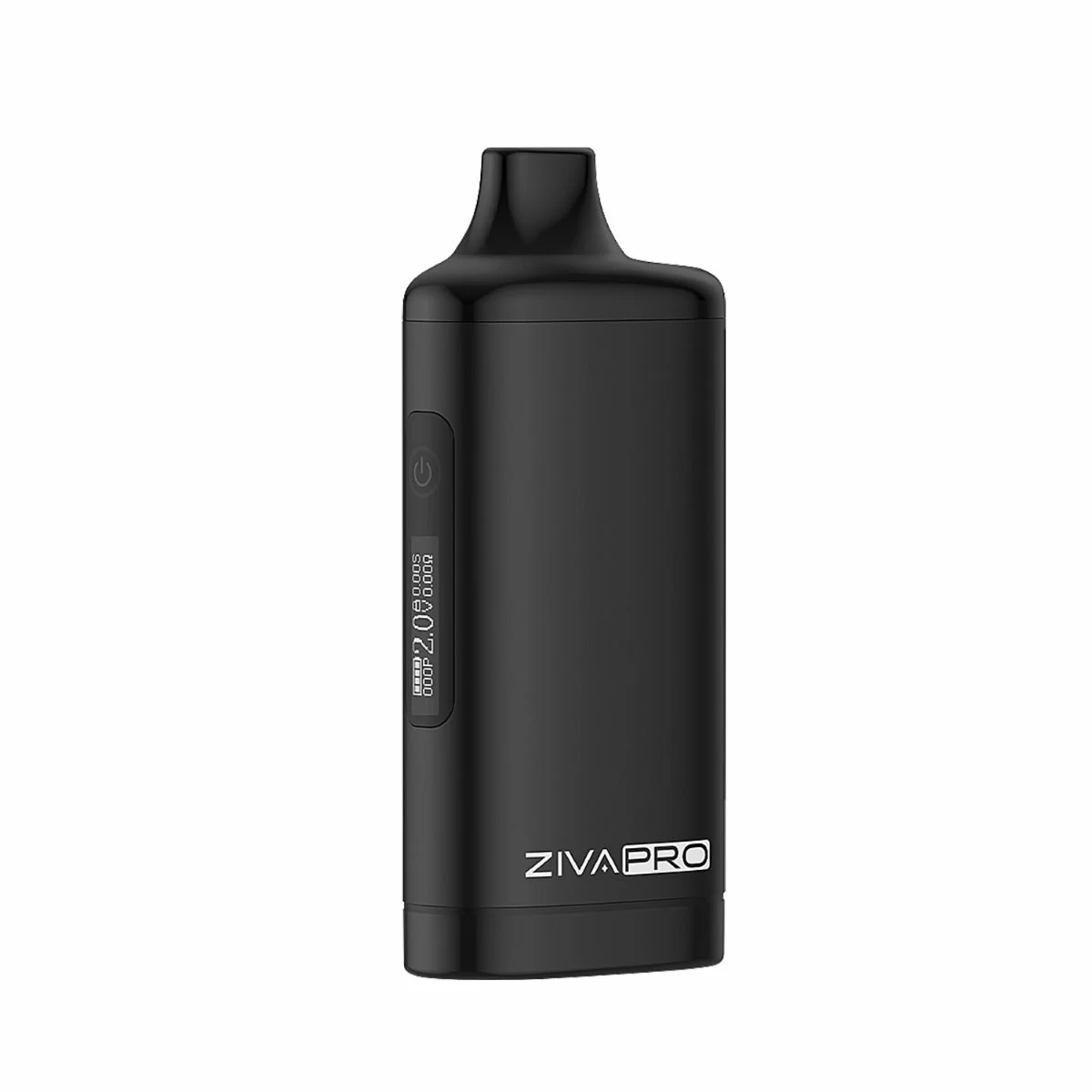




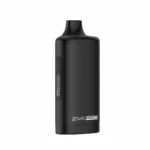
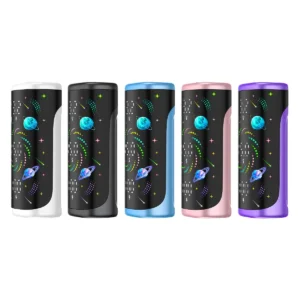
The Yocan Ziva Pro combines sleek design, hidden 510 compatibility, 650mAh power, adjustable voltage, draw activation, preheat mode, and USB-C charging for on-the-go ease.
Product Specifications
| Manufacturer: | Yocan |
|---|---|
| User Level: | Advanced |
| Material Compatibility: | 510 Cartridges |
| Heating System: | Single 510 Thread |
| Heat Up Time: | Quick (10–30 sec) |
| Charge Time: | Fast (under 1 hr) |
| Charging Port: | USB-C |
| Wireless Charging: | No |
| Pass Through Charging: | No |
| Bubbler Compatibility: | No |
| Display: | Yes |
| Warranty Period: | 2 Weeks Limited |
|---|---|
| Battery Size: | Over 650mAh |
| Temperature Range: | 1.8V to 4.2V |
| Temperature Control: | Precise |
| Smartphone Compatibility: | No |
| Vibration Alert: | No |
| Motion Sensor: | No |
| Swappable Battery: | No |
| Device Size: | Small |
| Ease of Cleaning: | Easy |
Contents
Yocan Ziva Pro Battery – A Simple, Reliable 510 Battery
If you’re looking for a solid 510 battery that’s easy to use, lasts long, and looks great, the Yocan Ziva Pro is a smart choice. It’s made for people who want something small, discreet, and powerful without confusing buttons or settings.
Key Features
Discreet and Easy to Carry
The Yocan Ziva Pro Smart Vaporizer Mod hides your cartridge inside a slim aluminum body. It looks clean and simple. No flashy lights or bulk. It fits comfortably in your pocket or hand, so you can vape quietly anytime, anywhere.
Works with Any 510 Cartridge
No worries about compatibility. The Ziva Pro by Yocan works with all 510-thread cartridges. Just screw in your favorite cartridge and you’re ready to go.
Long Battery Life with Fast Charging
It has a strong 650mAh battery that can last up to two days, depending on use. Plus, it charges fast with USB-C, so you’re not stuck waiting around. The OLED screen shows battery life clearly, so you know when it’s time to charge.
Simple Controls and Easy Settings
One button does it all. You can turn the Ziva Pro on or off, change voltage, and activate pre-heat, all with quick taps. The OLED screen helps you keep track of your settings.
Draw-Activated for Hands-Free Vaping
No need to press any buttons when taking a hit. Just inhale, and the battery activates automatically. The Yocan Ziva Pro Vaporizer is draw-activated, making vaping smooth, simple, and beginner-friendly.
Adjustable Voltage for Your Style
You can choose how strong or smooth your hits are by setting the voltage anywhere between 1.8V and 4.2V. Low voltage means smooth flavor. Higher voltage gives bigger clouds.
Preheat Function to Avoid Clogs
Press the button twice to warm up your cartridge before vaping. This helps prevent oil clogging and makes every hit taste better.
Lightweight and Cool to Use
Made from aluminum alloy, the battery feels light and stays cool. So it’s comfortable to hold even during long sessions.
Common 510 Battery Problems This Fixes
- Battery dying too fast? The Ziva Pro’s 650mAh battery lasts long and charges fast.
- Buttons confusing or too many? Only one button here. Easy to use.
- Cartridge doesn’t fit? Works with all 510 cartridges, no exceptions.
- Device overheating? This one stays cool even during heavy use.
- Clogged cartridges? The preheat function helps keep the oil flowing.
- No battery info? The OLED screen shows battery life and puff count so you’re never caught off guard.
Quick Comparison: Yocan Ziva vs Ziva Pro
| Feature | Yocan Ziva | Yocan Ziva Pro |
|---|---|---|
| Voltage Settings | 3 fixed levels | Adjustable 1.8V to 4.2V |
| Battery Capacity | 650mAh | 850mAh |
| Display Screen | None | Yes, OLED screen |
| Preheat Function | Yes | Yes |
| Charging Port | USB-C | USB-C |
| Size & Weight | Smaller & lighter | Compact & lightweight |
How to Use the Yocan Ziva Pro Battery
- Turn On or Off: Tap the power button 5 times fast.
- Lock or Unlock Screen: Tap the button 4 times fast.
- Change Voltage Mode: Tap 3 times to open voltage settings.
- Preheat: Tap twice quickly to warm up your cartridge.
- Adjust Voltage: Tap once to raise or lower voltage by 0.1V between 1.8V and 4.2V.
- Charging: Use a 5V/1A USB-C charger. Charge fully before use.
If you want more detail, check the official Yocan Ziva Pro manual.
Who Is It For?
- New users who want simple and reliable vaping
- People who want a good battery without paying too much
- Those who like to control their vape’s power and flavor
- Anyone wanting a discreet, pocket-friendly device
This battery avoids many common 510 battery headaches. It’s a solid, beginner-friendly option with features that make vaping easy and enjoyable. If you want a smooth, hassle-free vape experience, the Yocan Ziva Pro 510 Thread Battery is worth checking out.
What's in the box
1 x Ziva Pro Vaporizer
8 reviews for Yocan Ziva Pro
Customers review summary
Customers have mixed feelings about the Yocan Ziva Pro. While many appreciate its compact size, adjustable voltage, and quick charging, others have experienced significant frustrations with the device, particularly regarding the screen visibility and auto-lock feature. Some users have reported issues with the mouthpieces cracking and difficulty with the button, but overall, it is seen as a solid choice for discreet vaping. Despite some negative feedback, many recommend it for its portability and efficiency.
Generated based on verified customer reviews.
62%
12%
0%
0%
25%
1-5 of 8 reviews
Add a review
 Yocan Ziva Pro
Your review
* Review is required
Name
* Name is required
Email
* Email is required
Add photos or video to your review
Product Q&A
Q: How to reset puff counter on Yocan Ziva Pro?
A:
To reset the puff counter on the Yocan Ziva Pro, first turn on the device by pressing the button five times quickly. If the device is locked, unlock it by pressing the button four times. Then, press the button seven times quickly to reset the puff counter to zero.
Was this helpful?
Q: How to change voltage on Ziva Pro?
A:
To adjust the voltage, tap the power button once. Each tap increases or decreases the voltage by 0.1V, and you can adjust it from 1.8V to 4.2V to find the optimal setting for your vaping preferences.
Was this helpful?
Q: What to do if Yocan Ziva Pro button not working?
A:
If the Yocan Ziva Pro button is not working, first check if the battery is charged. If it is charged and still not working, try turning the device off and on again by pressing the button five times quickly and gently.
Was this helpful?
Q: Hey, how are you today? Just wanted to see if this holds the 2mg carts as well as 1mg, and ½?
A:
Yes, it works with 2g, 1g, and 0.5g cartridges. As long as your cart has a standard 510 thread connection, it will fit and function properly.
Was this helpful?
Q: How does Yocan Ziva Pro preheat work?
A:
The Yocan Ziva Pro has a preheat function to warm your cartridge before vaping. To activate preheat, press the button two times quickly. The device will heat up for a few seconds to help improve vapor production, especially with thicker oils.
Was this helpful?
Q: What are the basic Yocan Ziva Pro instructions?
A:
The Yocan Ziva Pro is very easy to use. Start by screwing your 510-thread cartridge into the battery. To turn it on, quickly press the button five times. You can adjust the voltage by pressing the button three times, and preheat the coil by pressing it twice. Always make sure to fully charge the battery before using it, and clean the connection points regularly to keep it working at its best.
Was this helpful?
Q: How to use a Yocan Ziva Pro?
A:
Power On/Off: Quickly tap the power button 5 times to turn the device on or off.
Screen Lock/Unlock: Tap the power button 4 times to lock or unlock the screen.
Voltage Setting: Tap the power button 3 times to access the voltage settings.
Pre-Heat Setting: Tap the power button twice to activate the pre-heat mode.
Inhalation: The Ziva Pro uses draw activation, so simply inhale from the mouthpiece to start vaporizing.
Was this helpful?
Q: How to turn on Yocan Ziva Pro?
A:
To turn on the Yocan Ziva Pro, press the main button five times quickly in a row. This will power the device on or off. You will see the OLED light screen to confirm the device is turning on.
Was this helpful?
Q: How to change voltage on Yocan Ziva Pro?
A:
To change the voltage on the Yocan Ziva Pro, first turn the device on by pressing the button five times. If the device is locked, unlock it by pressing the button four times. Next, quickly press the button three times to enter voltage adjustment mode. Press the button once to cycle through the voltage levels. When you see the voltage you want, wait a few seconds and the blinking will stop, confirming your selection. Choose the voltage that works best for your cartridge to get the ideal flavor and vapor.
Was this helpful?
Q: How to reset puff count on Ziva Pro?
A:
To reset the puff count on the Yocan Ziva Pro, you need to touch the button 7 times to clear the puff count. This action will reset the counter, allowing you to monitor your usage from that point forward.
Was this helpful?
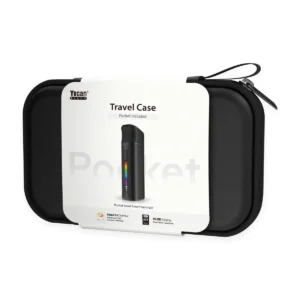
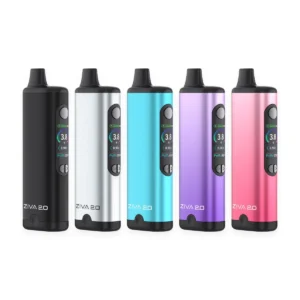
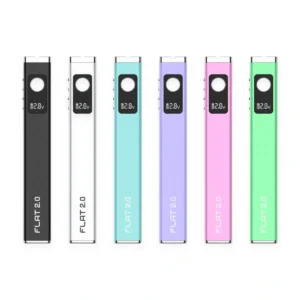
This is a piece of junk. Right now, go outside and light 25 dollars on fire. There ya go! You just received 100% more value from the experience than you will from a Yocan Ziva Pro. The screen is tiny and can’t be read in sunlight, and is hard to read in general. So yo, who cares. I’m going to VAPE with it, not read a book off it’s screen, Holmes. Yeah, not so fast, Watson. You only think you’re going to vape with it. You absolutely are not. Why? Because it auto locks the second you aren’t actively using it. So go ahead, grab that next hit. Nothing? Something? Its clogged again? WTF I HATE THIS THING AGAIN? #+$+_;$ won’t this freakin think unlock? Pick any or all because you’ll soon be ready to throw this thing at the wall. It’s locked. Again. Still. Always? That’s the problem. Again. STILL. Maybe, maybe not. You can’t read the screen to tell what the lock icon says and regardless, the touch sensor is so finicky you can’t get it unlocked reliably enough to not have to read the screen every damned time to insure it’s unlocked and of course you can’t read the damned screen if you’re outside which defeats the entire purpose if the thing and by now it’s clogged AGAIN because vapes clog when you pull oil when they aren’t even on. I’m sort of sick of typing now but this is such a over engineered POS to the point of uselessness COMPLETE FAILURE OF A PRODUCT that I hoped to spare someone else all the activation of owning one. With shipping and everything else I had $23.99 in this and in all seriousness if I had any inkling what a waste of money it is, I would have just given the money to a homeless person or lit it on fire.
I agree with part of your experience, the Yocan Ziva Pro does have a few usability issues that can frustrate users.
The small screen can be hard to read in bright light, and the touch based interaction plus auto lock behavior can feel over sensitive. If someone is expecting a simple plug and play experience, it can definitely feel more complicated than it needs to be, especially during quick sessions.
That said, this kind of design is more about compact stealth style use, but it does come with trade offs in convenience.
If someone is looking for a more user friendly and straightforward setup, I would also lean toward alternatives like the Yocan Kodo Pro or the Tronian Rhotron Pro. Both are much simpler in day to day use, give precise voltage control, and avoid the touch screen and lock unlock frustration.
Overall, it really comes down to preference. The Ziva Pro tries to be ultra compact and feature packed, but devices like the Kodo Pro or Rhotron Pro are just easier to live with if you want reliability and no hassle operation.
I like the product a lot but the mouthpieces tend to crack.I am not overheating or dropping it Im sure its the plastic.Thanks Mike
Didn’t receive my item scam site
We’re sorry to hear this concern, but we’d like to clarify what happened with your order.
The original shipment was returned to us due to an incorrect address being provided at checkout. Once we connected and confirmed the correct address with you, we reshipped the order right away. The replacement shipment has since been marked as delivered.
We’re reaching out to you directly to confirm everything arrived safely and to make sure you’re taken care of.
Love the Ziva Pro! The compact size makes it perfect for travel, and I appreciate the quick charging. The adjustable voltage lets me experiment with different settings to get the ideal vapor. I highly recommend this if you’re looking for something discreet and efficient.
Great for trying different cartridges and looks like a disposable!