
Arizer XQ2 Review

Sale!

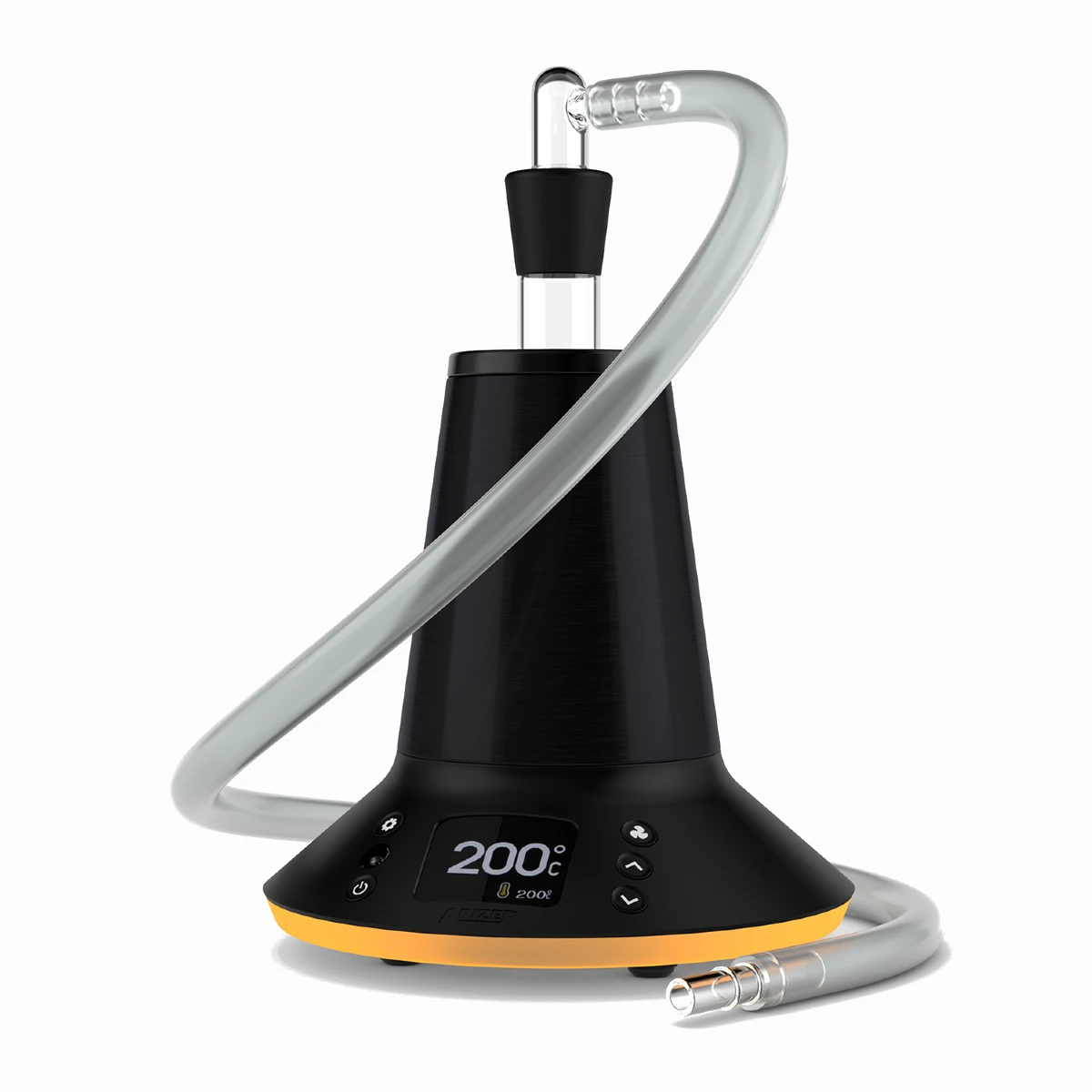
Arizer XQ2 Vaporizer
$249.99 $209.99 16% Off
The Arizer XQ2 Vaporizer offers versatile options with both balloon and whip setups, customizable LED lights, and remote control. With a 2-minute heat-up time, improved fan, and convection heating, it delivers smooth, consistent vapor. Ideal for parties or solo sessions, it's a great upgrade for desktop vaporizing enthusiasts.
In stock, ships in 1-2 business days.
The Arizer XQ2 is a high-quality desktop vaporizer for dry herbs, offering a more affordable option for home use compared to expensive models like the Volcano Hybrid. It has a unique conical shape, improved airflow, a glass screen, and two chamber sizes for better vapor. The XQ2 gives smoother, tastier vapor than its older model, making it a great choice for both beginners and experienced users who want great performance without spending too much.
Building on over 15 years of expertise in refining desktop vaporizers, Arizer has taken performance, versatility, and ease of use to the next level with the XQ2. The XQ2 delivers smooth, flavorful vapor and impressive clouds while remaining user-friendly and relatively affordable for a desktop vaporizer. Whether you’re new to vaping or an experienced enthusiast, the XQ2 is designed to elevate your experience without breaking the bank.
Before you buy Arizer XQ2, it’s worth knowing where it improves on the Extreme Q and where it still falls behind more expensive desktop vaporizers like the Volcano Hybrid.
Our Arizer XQ2 Video Review
How the Arizer XQ2 Works
The Arizer XQ2 has a simple user interface and remote that makes it easy to use and understand all of its functions.
- As a desktop vaporizer, the XQ2 must be connected to a wall outlet to operate correctly using its Arizer XQ2 Power Supply Cord.
- For inhale methods, you can choose to either inhale from the silicone whip or fill balloons with the fan.
How It Cooks Your Weed
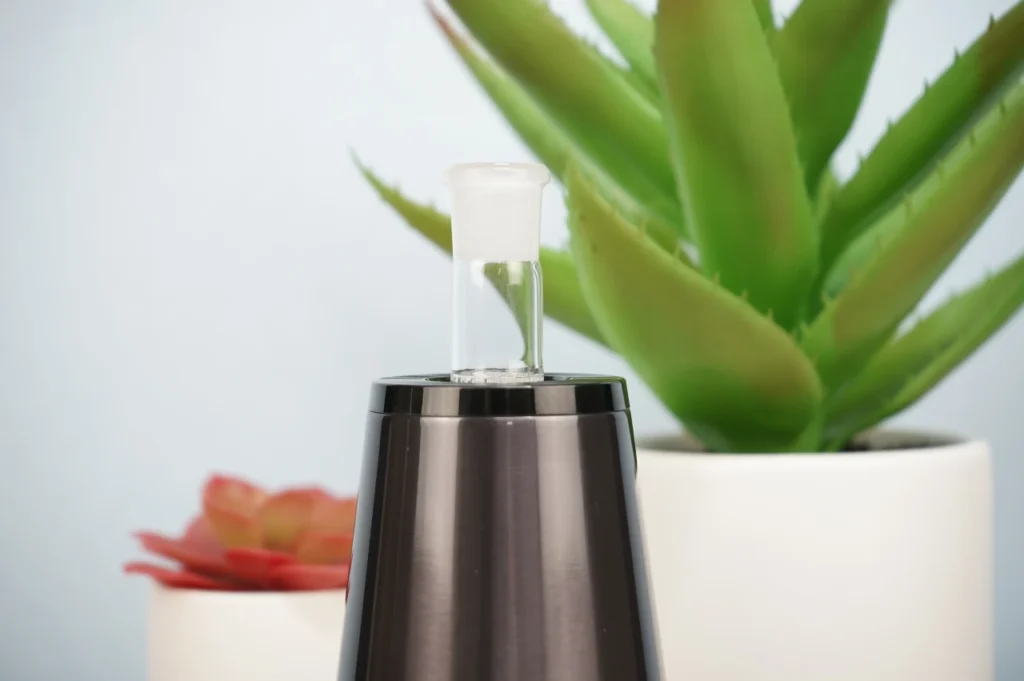
The XQ2 Glass Connoisseur Bowl is placed right on top of the heating vent, which will slowly extract your THC for you to inhale through the whip or balloon.
The XQ2 uses convection heating that blows hot air up through the ground cannabis that you have loaded in the chamber.
With either the remote or user interface, you’ll be able to set the temperature anywhere you’d like between 122-500°F (50-260°C).
It takes about 3-4 minutes to reach optimal temperatures in the bowl, but after that, it’s time to enjoy your session!
Choosing Your Inhale Method – Whip or Balloon
Once you have your bowl loaded and your XQ2 has reached its set temperature, it’s time to attach either the whip or balloon bag to the top of the chamber!
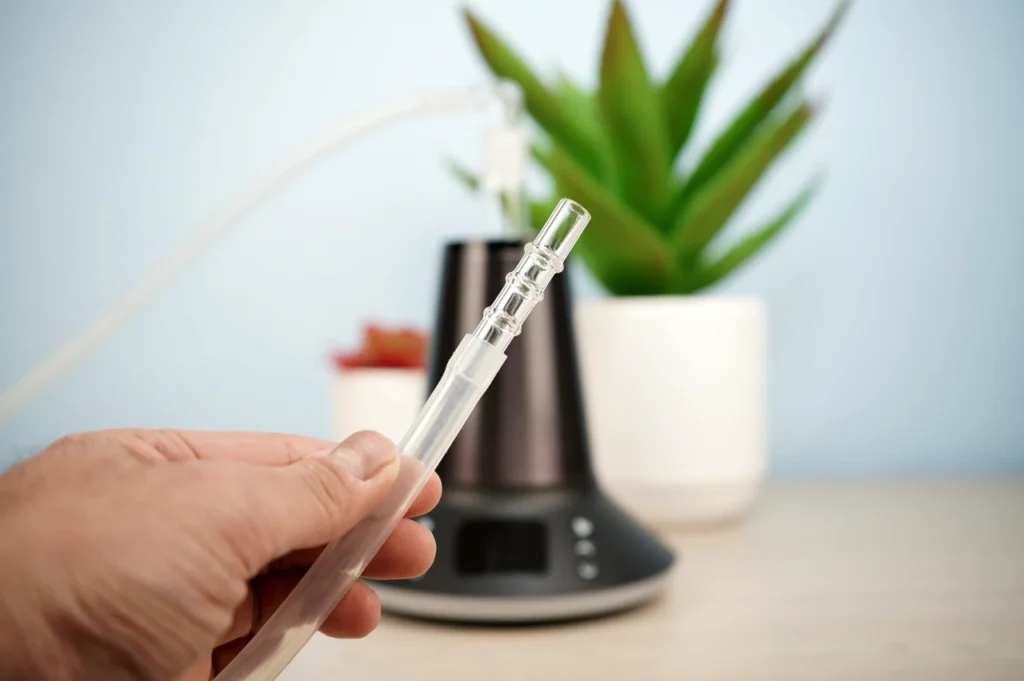
- The 360° swiveling head includes a three-foot silicone whip and glass mouthpiece for hookah-style use.
- The easy-to-use balloon system with an included seal cap also makes sharing vapor with friends a breeze!
Let’s take a quick look at how you can set up either option.
How to Use the Arizer XQ2 Whip
To use the whip, you’ll need to place the whip kit onto the glass bowl using a temperature between 170°C-220°C (338°F-428°F). After waiting 3-5 minutes while your bowl preheats for better vapor quality, you’ll be able to take long and slow draws full of terpenes!
If you want easier inhales, you’ll also be able to turn the fan on so that vapor starts pouring out of the mouthpiece on its own.

How to Use the Arizer XQ2 Balloons
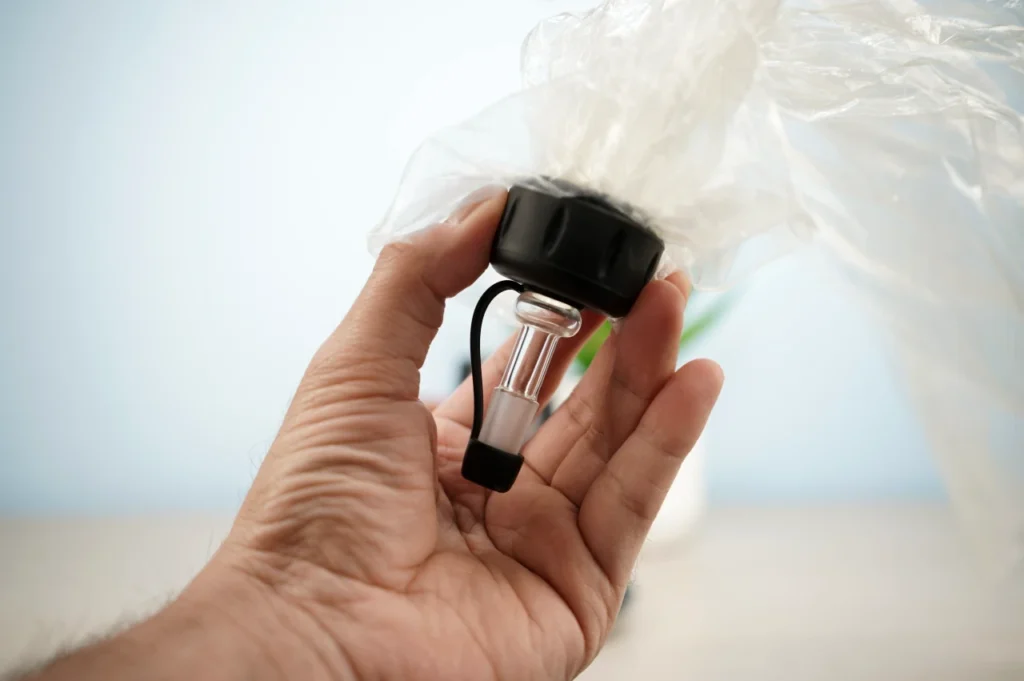
To use the Arizer Balloon Bags, you’ll attach the mini glass whip (the bent glass with an elbow) to the glass bowl and then place the Arizer Balloon Mouthpiece onto the female port on top of the glass elbow piece.
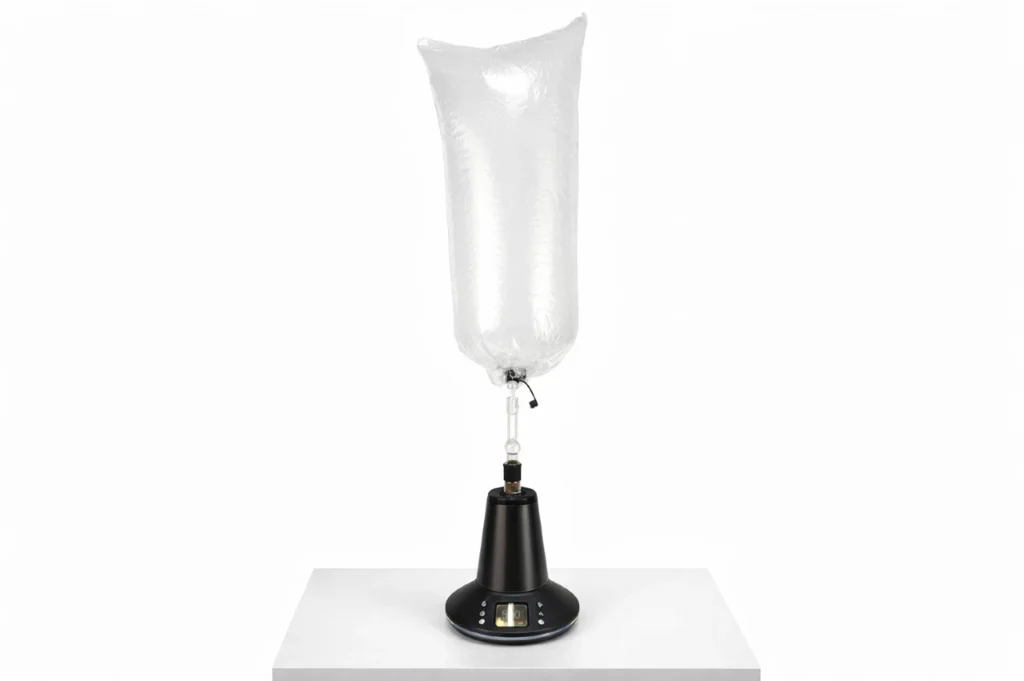
There are many different ways to fill the balloon, so there’s a lot of room for customizing settings like heat, bowl mode, and fan to perfect your sessions over time!
A popular balloon setup to try is a temperature of 380°F / 193°C while filling the bag on the low fan speed.
Keep in mind that the higher you set the temperature, the thicker your balloon bag will be with vapor.
Compared with the Arizer Extreme Q, one of the most useful XQ2 upgrades is the included balloon cap, which lets you carry a filled balloon from room to room without losing as much vapor.
Dual Bowl Sizes for Flavor or Clouds
The glass bowl comes in two sizes, which lets you choose between more flavor or more cloud production. In simple terms, the glass divider isn’t set in the middle, so you can choose to have your herb further from the heat with less capacity or closer with more capacity. While both bowl sides produce excellent airflow, the larger “Cloud” chamber may be better for parties, bag filling, or heavy users.
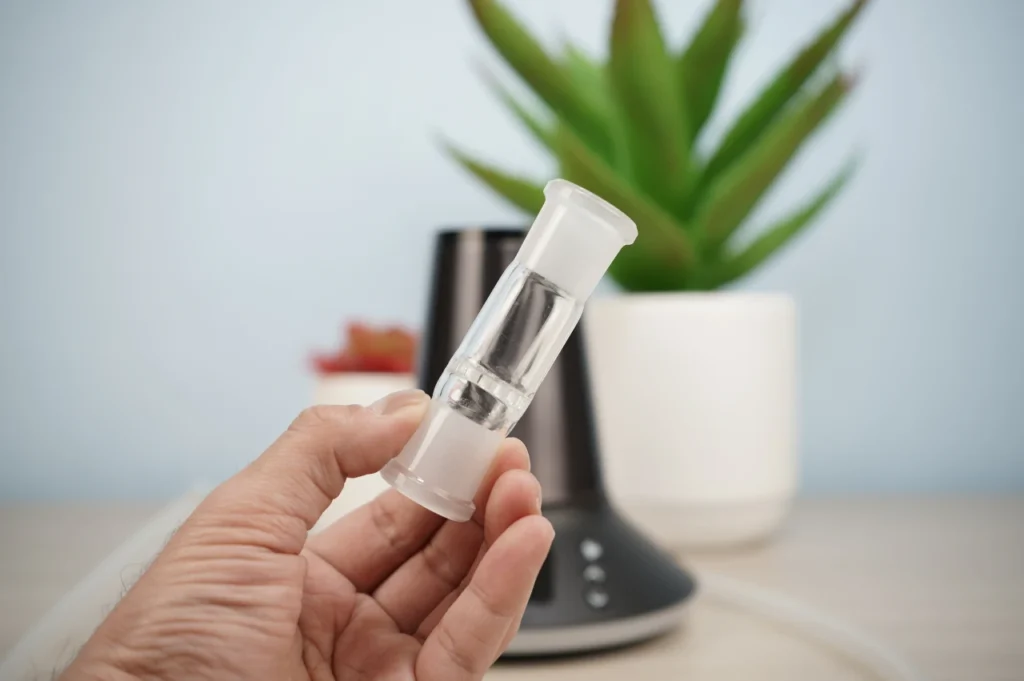
- The Cloud Side is the larger option, and the glass screen will be closer to the ceramic heating element.
For most people, this will be the preferred chamber side. The Cloud side sits closer to the ceramic heating element and has a maximum bowl size of about 1.2g, making it better suited to larger sessions, parties, or balloon filling.
- The Flavor Side has a smaller bowl size but is better for microdosing or cooler inhales.
The Flavor side has a smaller chamber and is better suited to microdosing or cooler, flavor-focused inhales, with a maximum bowl size of about 0.2g.
Improved Remote Control
With improved remote control, you’ll have easier access to settings with better signal reception. The upgraded remote operates the fan control, audio levels, LED lights, temperature settings, power, auto-off timer, and three preset modes. All of this makes for a user-friendly desktop experience.
The older remote could be confusing for beginners due to having too many options, so it’s nice to see that Arizer listened to community feedback and implemented a useful upgrade.
Enhanced Vapor Quality
With an upgraded fan and isolated air path on the XQ2, you’ll have noticeably better vapor quality during your whip and balloon use! There’s also an XQ2 replaceable air filter accessory to compete directly with the Volcano Hybrid.
If you want to compare the XQ2 with other home units based on vapor quality, airflow, balloon performance, and price, you can shop desktop vaporizers to see the current options side by side.
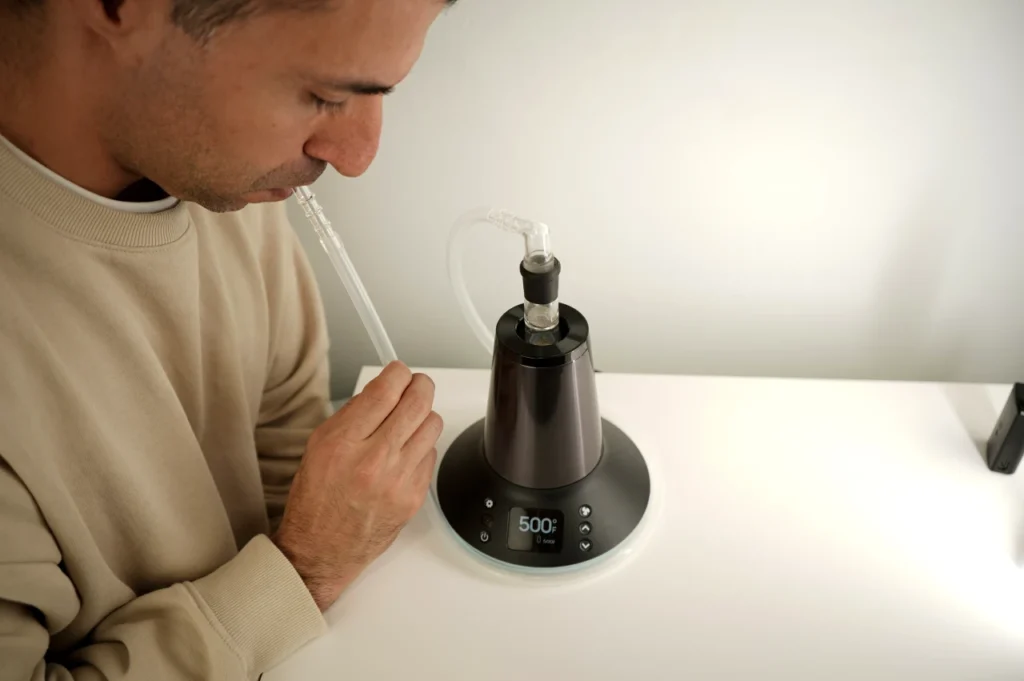
Overall, we found that most temperatures will produce similar results and flavor, with the main difference being that a slowly filled bag can become more “milky” because of the more concentrated vapor. While the XQ2 significantly improved its vapor quality, it’s still a little behind the Volcano, especially since it fills the balloon twice as slowly.
How to Use the Arizer XQ2
Let’s get into the nitty-gritty details for you connoisseurs or prospective buyers still reading our review!
- Load your glass bowl with a coarse grind of your favorite cannabis strain.
- Turn the XQ2 on with either the remote or power button on the user interface.
- By default, the XQ2 will automatically begin heating to the last set temperature, which you can adjust with the up or down arrows on the remote or device.
- Wait 2 minutes for the glass bowl to heat up and produce the best vapor quality for your balloon or whip.
- Use the Arizer Glass Mini Whip Kit to fill balloons, or use the Arizer Elbow Adapter for the Arizer Silicone Whip.
Overall, it’s extremely easy to use while still having enough customizability to satisfy the connoisseurs in the crowd.
On the user interface buttons on the actual vaporizer, there are six pieces of information to know:
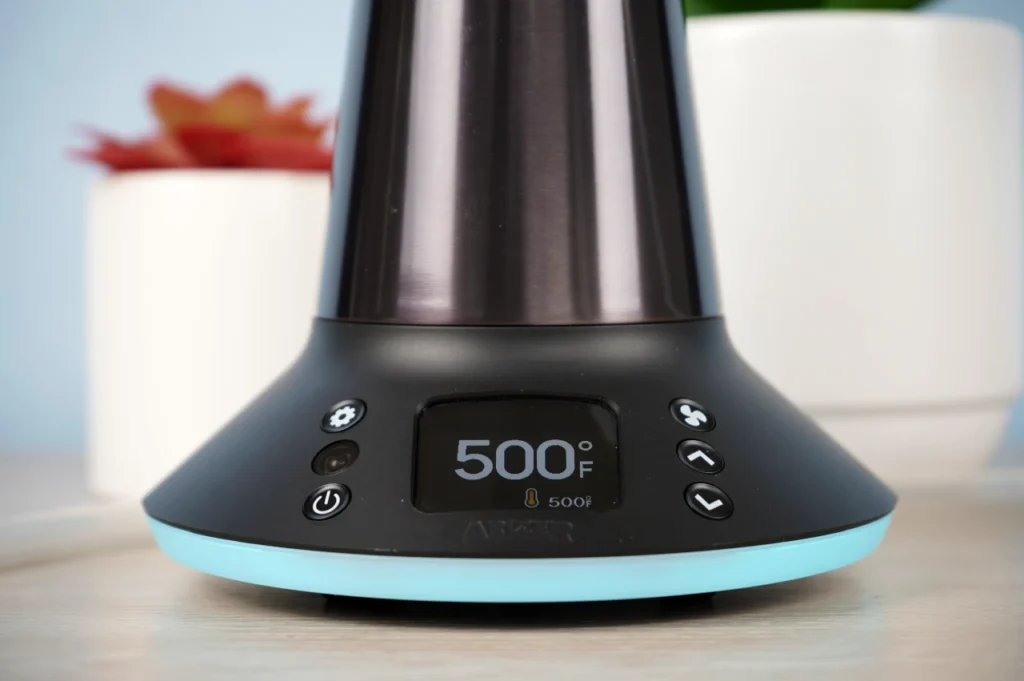
- Power button – One press will activate the XQ2 unless the delayed 2-second startup time is selected.
- Settings – Press the Settings button to access the menu. You can press the up and down buttons to navigate to the desired setting. Pressing the Settings button acts as the “select” button. Selecting an option will return you to the default temperature display screen. Other options include LED lights, screen brightness, volume settings, temperature alerts, auto-off timer, temperature display, and the delayed start option.
- Fan – Pressing the fan button will switch between low, medium, high, and off. You’ll also be able to do the same thing on the remote.
- Navigation buttons – The up and down buttons are used to navigate the menu settings and options. You can also hold them simultaneously to change temperature increments from 1 degree to 10 degrees.
- The user interface includes the remote control signal receiver between the power and settings buttons.
- On the screen, you’ll see the set temperature on the bottom right and the actual temperature in the middle. The upgraded screen is brighter and easier to read than the display on the Extreme Q.
How to Use the Arizer XQ2 for Aromatherapy
When the XQ2 isn’t being used for dry herb, it can also double as an aromatherapy device.
Add your favorite rinds, such as orange peels or scented flower petals, to the included glass aromatherapy dish to add a pleasant scent to any environment.
Other botanicals that the Arizer community recommends include lavender, chamomile, or mint leaves. Our personal favorite at the Tools420 office is banana peels!
Portability and Size
At about 500g (1.1 lb), the XQ2 is relatively lightweight for a desktop vaporizer, especially compared with the Volcano Hybrid at about 1.8kg (4.0 lb). It still needs a wall outlet, though, so its portability is mainly about being easy to move around the house rather than taking it on the go. If portability matters more than balloon or whip use, you can shop dry herb vaporizers to compare desktop and portable options.
Still, having capped balloons makes it a great option for parties or sharing with friends since you’ll be able to take them from room to room without worrying about wasted vapor.

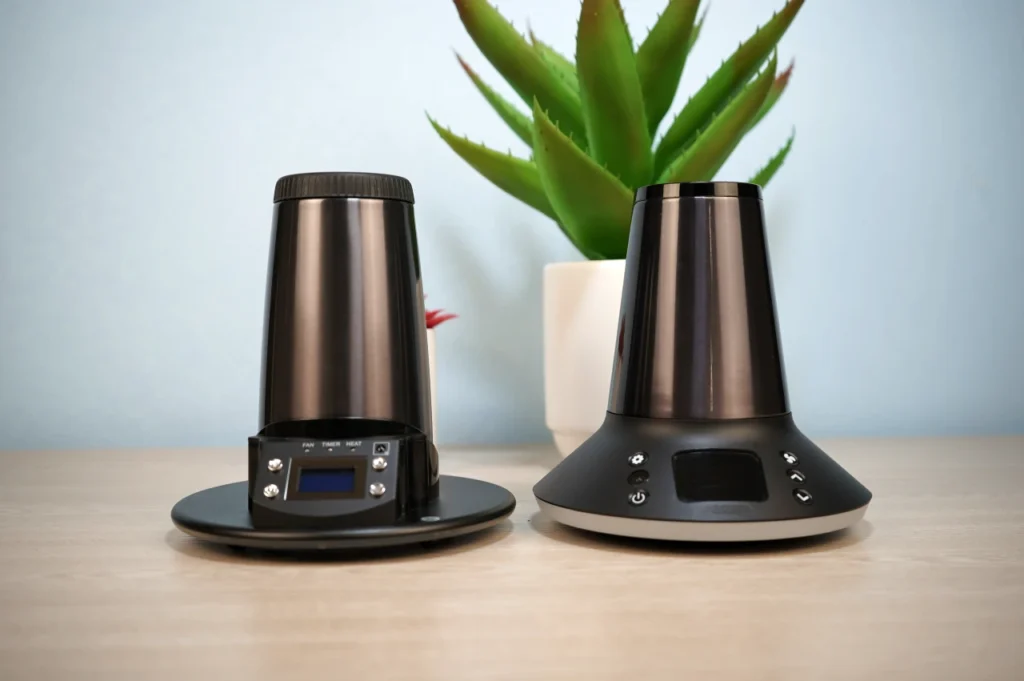
Comparing Arizer XQ2 vs Extreme Q
The main differences between the Extreme Q and XQ2 include the updated glass bowl style, the inclusion of rubber grips, and the improved balloon design.
While the XQ2 is easier to use, the vapor quality is only slightly better. The XQ2 costs more than the Extreme Q, but we prefer it for its improved bowl design, easier controls, replaceable air filter, and updated balloon setup. If price is your main deciding factor, our best budget dry herb vaporizers guide also covers lower-cost desktop options, including the Extreme Q.
You can read more about this comparison in our Arizer Extreme Q vs. XQ2 Review.
How to Clean the Arizer XQ2?
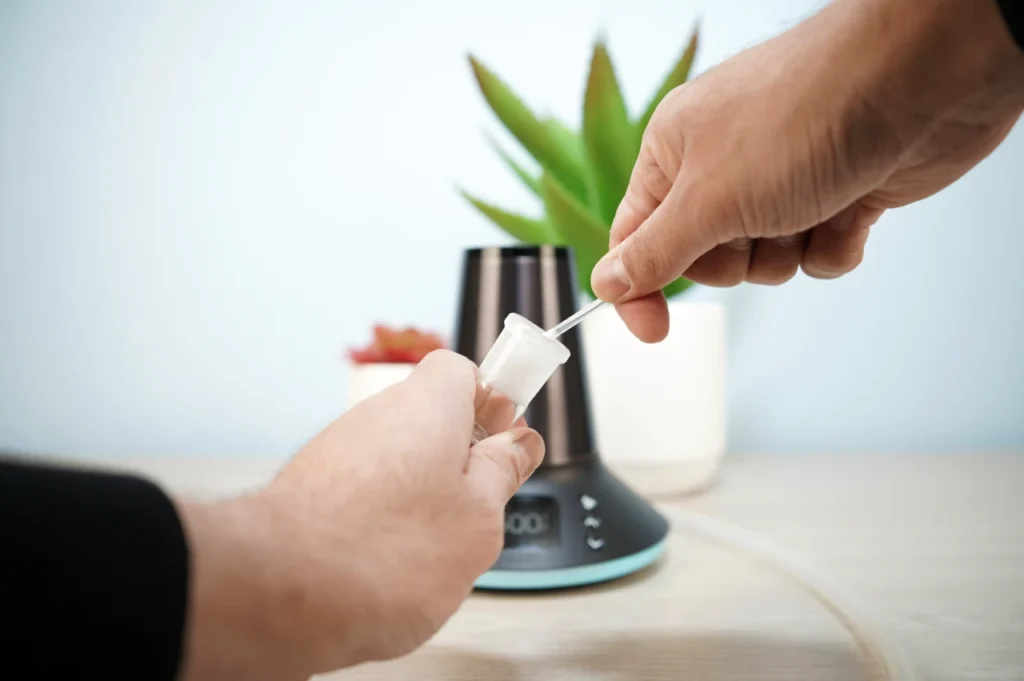
The main thing to keep clean on the XQ2 will be all of its glass accessories.
- Knocking out debris after a session will always be the best practice to prevent resin buildup.
- About once a month or after noticing decreased airflow, you can put your dirty glass pieces and screens into an isopropyl alcohol bath for 30 minutes.
Afterward, gently scrub and rinse off any remaining alcohol with hot water.
You might also notice your whips and bag quality decline over time if you are a heavy user. However, you can always pick up more for cheap if you want to avoid cleaning them in something more potent like Orange Chronic.
Periodically, you may also consider changing the air filter accessible by the removable lid on the bottom of the XQ2.
Warranty Coverage
The XQ2 carries a lifetime warranty on the heating element and a limited 3-year warranty covering parts and labor costs against defects. One thing to know is that the glass is not covered under warranty. The glass pieces are made from borosilicate and are prone to shattering if dropped, so you’ll want to keep the Tuff grips on the bowls at all times to reduce the risk of breaking or accidental drops.
Tips and Tricks
- You can choose to heat soak your bowl for up to five minutes before beginning your session to prime your dry herb.
- The balloon bag mouthpiece uses a 10mm male port, which you’ll be able to use as a bong adapter for a 10mm bubbler.
- Change out your air filter once a year to ensure the best vapor quality.
- Heavy users should pick up extra XQ2 balloons to fill multiple at a time.
- Before throwing balloon bags out, you can salvage some of the resin buildup in the whip by cutting them open with scissors and then scraping the resin with a knife for your wax pens.
- Use the Arizer Glass Stirring Tool in the chamber halfway through your session to get some fresh herb exposed to the heat.
What We Like and What We Don’t Like
| Pros | Cons |
|---|---|
| Sleek and easy-to-use design | Glass parts are very brittle |
| Consistent vapor quality | Slow balloon filling time compared to Volcano vaporizers |
| Tons of included accessories | Balloons and whips can be hard to maintain for heavy users |
| Many settings to tweak and fine-tune for veterans | Vapor quality not on par with Volcano vaporizers |
| 10mm mouthpiece balloons with included tethered cap | |
| The “Tuff” grips make the bowls much safer to handle | |
| Lightweight desktop vaporizer | |
| Amazing kit value | |
| Whip and balloon vapor quality |
Final Thoughts
As an upgrade over the Extreme Q, the Arizer XQ2 packs plenty of useful improvements into its kit while remaining much more affordable than premium desktop models. There are enough settings and accessories for experienced users, while beginners can still get comfortable with it quickly.
We currently have the Arizer XQ2 for sale at Tools420, where you can check the latest price, availability, and any current deals.
Overall, we think the XQ2 is a strong lower-cost alternative to the Volcano, with consistent vapor quality and enough versatility to remain one of the standout options in our best desktop vaporizers guide.
If you’re still undecided, be sure to check out our more in-depth reviews:
Feel free to leave a comment if you have any questions about our XQ2 review!
Frequently Asked Questions
Does the Arizer XQ2 smell?
Yes, the Arizer XQ2 smells quite a bit like roasting cannabis and won’t be discreet in your household.
What is the size of the Arizer XQ2 hookah whip?
The Arizer XQ2 comes with a 3-foot hookah silicone whip.
Is the Arizer XQ2 conduction or convection?
The Arizer XQ2 mainly uses convection heating, although you’ll get some conduction THC extraction after five minutes or so of heating as the glass bowl itself heats up.
What is the max temperature of the Arizer XQ2?
The max temperature of the Arizer XQ2 is 500°F / 260°C, which is a temperature that people who only care about smoky clouds will enjoy.
Sale!
Arizer XQ2 Vaporizer
$249.99 $209.99 16% Off
The Arizer XQ2 Vaporizer offers versatile options with both balloon and whip setups, customizable LED lights, and remote control. With a 2-minute heat-up time, improved fan, and convection heating, it delivers smooth, consistent vapor. Ideal for parties or solo sessions, it's a great upgrade for desktop vaporizing enthusiasts.
In stock, ships in 1-2 business days.
About Author

Kush is a writer and vaporizer expert at Tools420. He shares easy-to-understand guides and reviews on the latest gadgets and vape gear. When he’s not testing new devices, he enjoys hiking and keeping up with the newest tech.